Fix bugs with your agent
Hand an issue from Pie to your coding agent, such as Claude Code, and get a fix back as a pull request. Each issue carries reproduction steps and expected and observed behavior, the same context a detailed bug report gives.
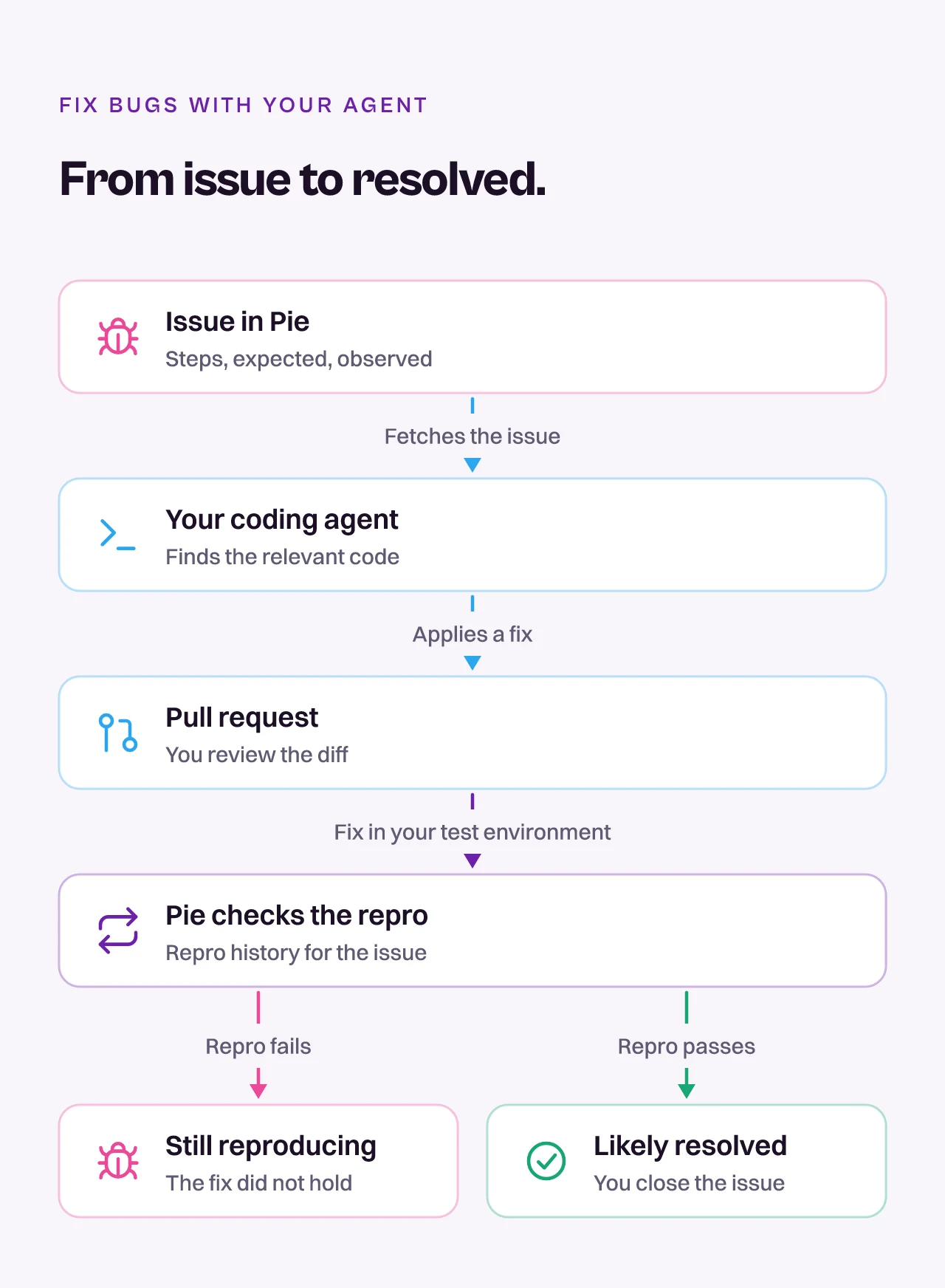
Here is the path from an issue to a fix.
Before you start
- Connect a coding agent to Pie and open your codebase. See Connect your agent.
- Pick an issue in Pie to fix. To decide which ones are real, see Triage issues.
Ask your agent to fix one issue
Give your agent the issue number and ask for a fix.
Get issue 142 from Pie and fix it in my codebaseYour agent fetches the issue from Pie with its steps and expected and observed behavior, finds the relevant code and applies a fix. If it can open pull requests, it commits the change and opens one.
Review the change
Read the diff as you would any PR. The issue in Pie tells you what broke, and the reproduction steps show how to see it.
Check the fix in Pie
Once the fix is in the environment Pie tests, ask your agent whether the issue is resolved.
Check the repro history for issue 142 and tell me whether it is fixedPie reports a verdict with its evidence. For a tracked issue, it uses the repro test generated for that issue. If the repro passes, the issue is likely resolved. If it fails, the issue is still reproducing.
Resolve the issue
When the fix holds, tell your agent to close the issue.
Resolve issue 142: fixed in the pull requestFix several issues at once
Ask for the issues Pie has approved, with one PR each.
Get all approved issues from Pie. For each one, fix it and create a separate PR.To start from a run instead, ask for its failures and the issues behind them.
Get the failed test results from the most recent run, pull the related issues, and fix themWhat you’ll see
Your agent reports the fix and, when it can open PRs, links to them. After you resolve an issue, it moves from Open to Resolved in Issues.
Do this from your agent or API
Your agent reads an issue with get_issue, checks a fix with get_issue_repro_history and closes it with resolve_issues. Over HTTP, use GET /v1/issues/{issueId}, GET /v1/issues/{issueId}/repro-history and PATCH /v1/issues.