Choose how to use Pie
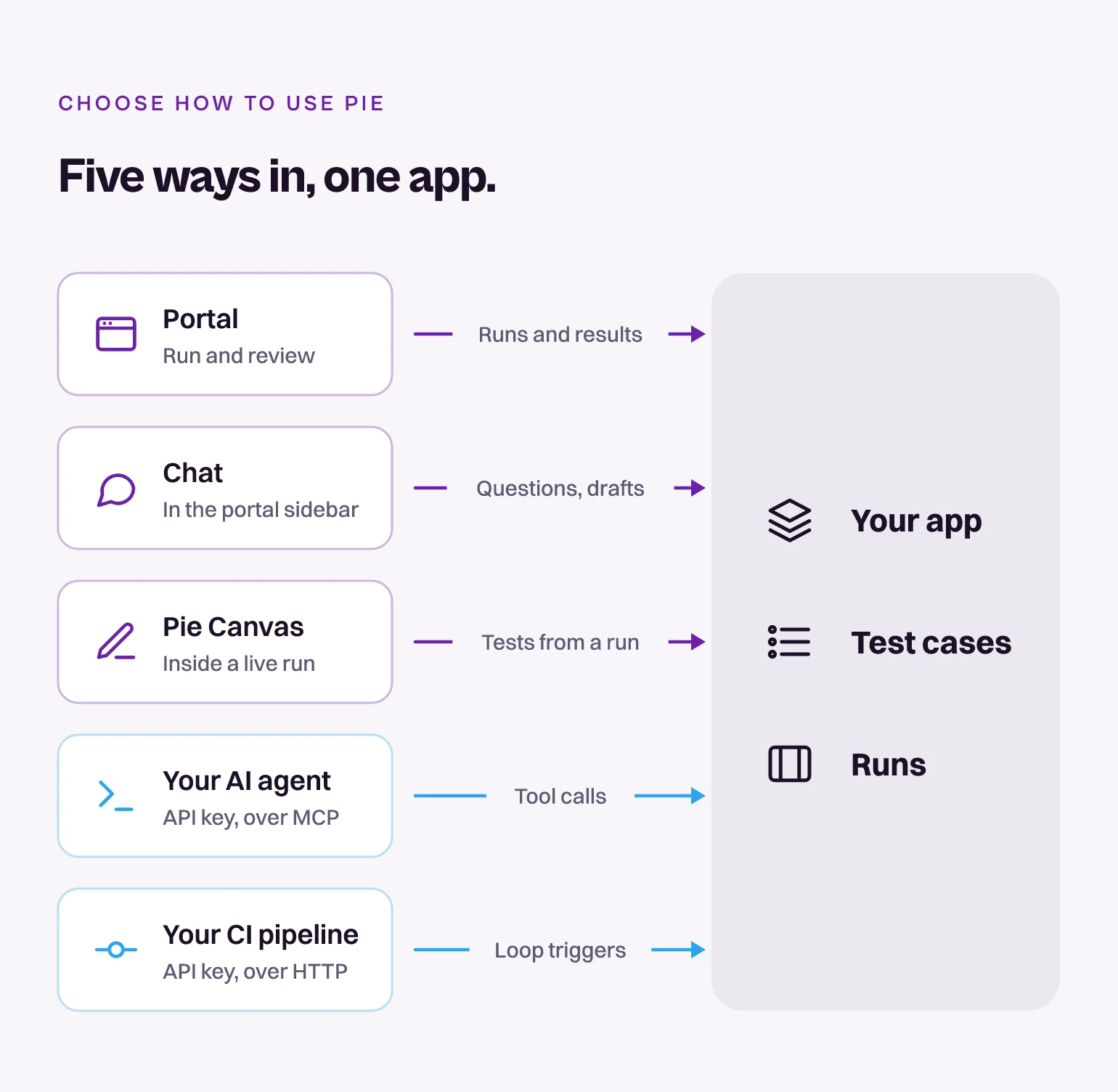
Work with Pie from the portal, Chat, Pie Canvas, your AI agent or your CI pipeline. Each one works on the same app, tests and runs, so you can switch between them at any time.
Here is how the five ways in reach your app.
Where to start
| You want to | Use |
|---|---|
| Run your web app once and read the result | The portal: Run your first web test |
| Test an iOS or Android build | The portal: Run your first mobile test |
| Ask what happened in a run, or describe a test in a sentence | Chat |
| Author a test while you watch a live run | Pie Canvas: Create and edit test cases |
| Work from Claude Code, Cursor, VS Code or Claude Desktop | MCP: Connect your agent |
| Start a suite on every merge | A Loop with an API trigger: Trigger from CI |
| Test your pull requests | Test PRs |
Start from what you have
Run a suite on your app’s URL. In the portal, select New Run, pick a Test suite, check the Run URL and select Start Run. See Run your first web test.
Upload a simulator
.app, zipped with ditto, on the Builds page, then start a run on it. See Run your first mobile test.Upload an
.apk on the Builds page, then start a run on it. See Run your first mobile test.Create an API key and add Pie to your agent’s MCP configuration. Your agent then calls Pie’s tools when you ask in plain language. See Connect your agent.
Create an API key and a Loop with an API trigger, then call
POST /v1/loops/trigger from your pipeline. Mobile pipelines call POST /v1/app/builds/loop with the build. See Trigger from CI.Chat, Pie Canvas, MCP and the API
- Chat is in the portal sidebar. Ask it about your tests, runs and issues, or describe a test in a sentence and review Pie’s draft before anything runs.
- In Pie Canvas, you build a test inside a live run: tell Pie what to test next and watch it run. It opens once the app has at least one run.
- MCP is how your AI agent talks to Pie. Your agent sends your API key with every call.
- The API gives you the same kinds of operations over HTTP at api.pie.inc.
Your agent or CI pipeline signs in with an API key. It isn’t a separate product: create one under Settings > API Keys and use it with MCP, the API or both.
Related
Last updated on