Run a coverage scan
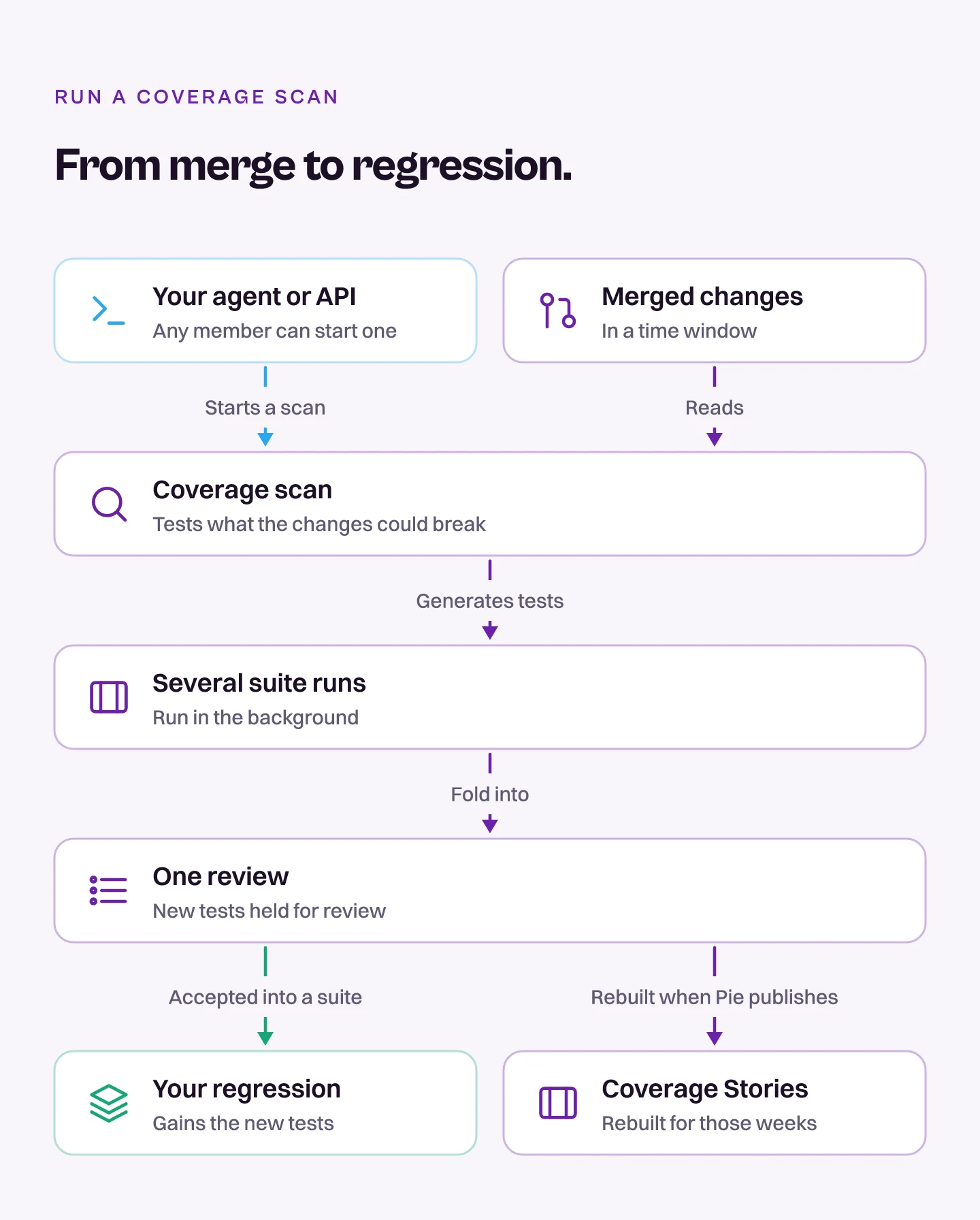
Start a coverage scan from your agent or the API to get tests for what you just merged. Pie reads the changes merged in a time window, generates tests for the product behavior those changes could have broken, and runs them as several suite runs that fold into one review.
Pie limits how many new test cases a scan creates, and the new tests are held for review before they join your regression.
Here is how a scan reaches your regression.
Before you start
- Connect a repository to Pie. See Connect GitHub or GitLab.
- Connect your agent to Pie (Connect your agent), or create an API key in API keys.
- For an iOS or Android app, upload a verified build to run the generated tests against.
Choose the window
Decide how far back the scan reads. Set days (7 by default, up to 90) or an exact since and until pair. To scan only what was merged up to one commit, add commitSha. To limit the scan to some paths, add includePaths with path globs.
Start the scan
Ask your agent to run the scan.
Run a coverage scan over the last 7 daysBrowser apps use their configured suite and app URLs. iOS and Android apps need a buildId: upload the build with POST /v1/app/builds/coverage-scan first, or pass a build you already uploaded. You can find it with get_builds. The scan runs in the background: the call returns once Pie accepts the request, not when the scan finishes.
What you’ll see
Pie reviews each scan. A scan’s new tests wait in the PR scan inbox until they are accepted into a suite, so they don’t join your regression on their own. When Pie publishes a scan, Coverage Stories are rebuilt for the weeks it covered.
Listing and reviewing scans isn’t open to member keys: your agent doesn’t see those tools, and the API answers with a 403.
Do this from your agent or API
Your agent starts a scan with trigger_coverage_scan. Over HTTP, use POST /v1/coverage-scans. Any member can start one.